
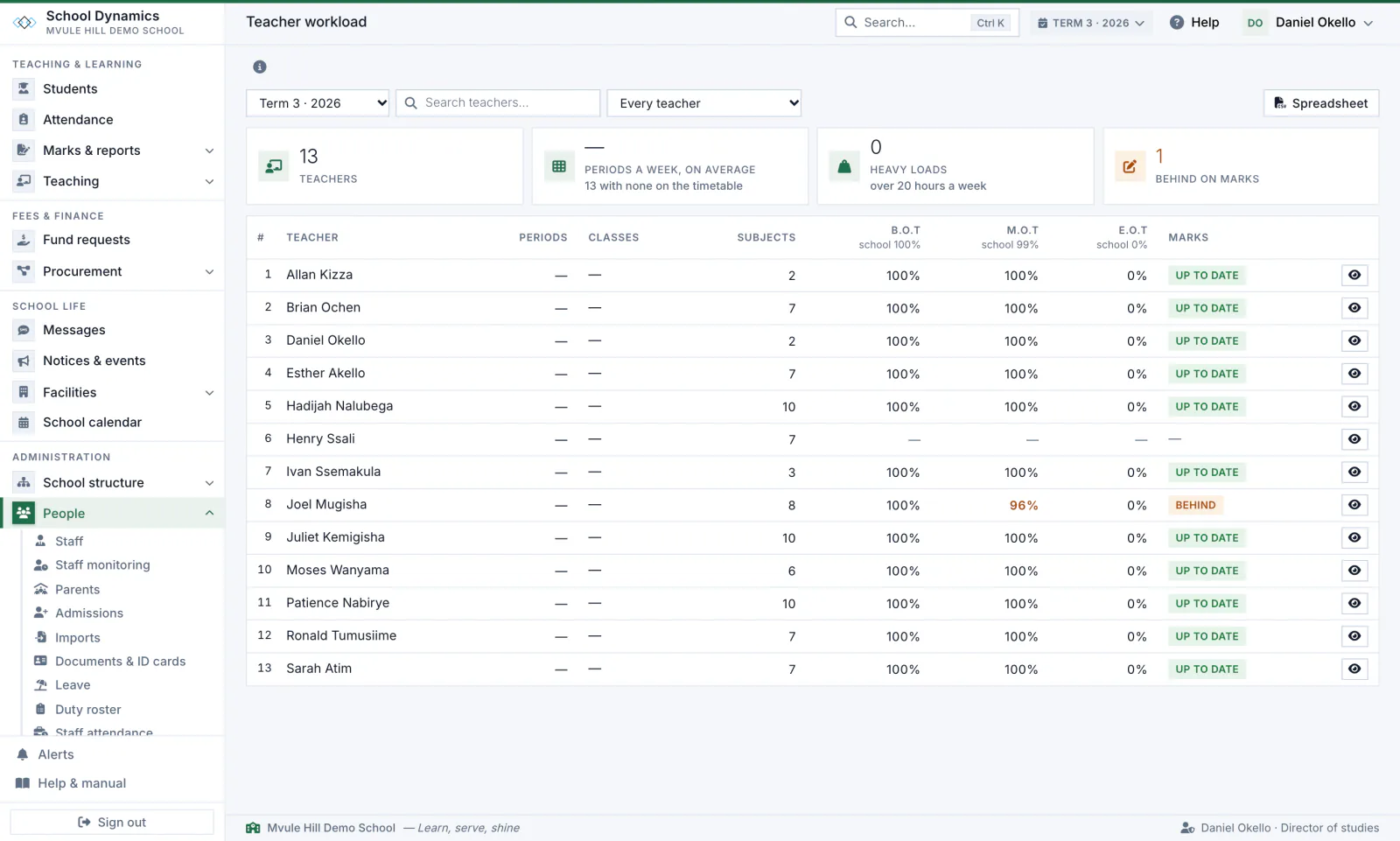
Teacher workload puts each teacher's term on one line: how many periods they teach a week, the classes they lead, the subjects they teach, and how much of their marks entry is done for each exam. It reads the timetable, the subjects and the marks; it changes nothing.
Open it from Staff & payroll › Teacher workload.
Before you start#
- The head teacher, the deputy, the director of studies, the bursar and the school administrator can open it.
- Periods come from the timetable. Marks come from the term's report cards: the exams counted this term, or, if none is set, each exam anyone has entered marks for.
Reading the page#
- The term.
- Only those behind on marks, with heavy loads, or with no periods.
- Teachers, average periods a week, heavy loads and those behind on marks.
- Behind or Up to date, and the load when it is heavy.
- Click a teacher to see their week and each subject's marks.
Choose the term 1. To see only some teachers 2, choose Behind on marks, Heavy or too many periods or No periods on the timetable, or search by name.
The figures at the top 3 count the teachers, the average periods a week (and how many have none on the timetable), the heavy loads (over 20 hours a week) and those behind on marks.
Each teacher's row shows:
- Periods: lessons a week on the timetable, with the hours.
- Classes: the classes they teach on the timetable.
- Subjects: how many subjects they are named on.
- One column for each exam: the share of their marks that are in. The column's heading shows the school's share. A teacher's figure is highlighted when it is below the school's.
- Marks 4: Behind when their share is below the school's for any exam, Up to date otherwise. Heavy (over 20 hours a week) or Too many periods (over 30) shows here too.
A mark counts as in when the teacher has submitted it. Only active students' marks count.
Everyone who has lessons on the timetable, leads a class or stream, or is named on a subject is listed.
One teacher's term#
Click a teacher 5. The window shows their periods and hours, their subjects and their marks entry, then:
- their lessons on each day of the week;
- the classes and streams they lead as class or stream teacher;
- the classes they teach on the timetable, and their subjects;
- for each subject, the number of students and how many marks are in for each exam.
Open the timetable shows that teacher's week.
Spreadsheet#
Export spreadsheet downloads the table for the term: each teacher's periods and hours, classes, the classes they lead, their subjects, their share of marks in for each exam, and whether they are behind.