
A vote is a main heading of the school's budget, such as KITCHEN, ADMINISTRATION or BOARD ACTIVITIES. Under each vote sit its budget accounts, such as Food stuffs, Firewood and Kitchen utensils. Every budget item and every expenditure is filed against a budget account, so the votes are the first thing to set up.
Open it from Fees & finance › School finance › Votes & budget accounts. It is also the Votes & budget accounts tab of Budget & expenditure.
Before you start#
The bursar, the finance officer and the school administrator add and change votes and accounts. The head teacher and the deputy can see the page and its figures, but cannot change anything.
Reading the page#
The page shows every vote as a card, with its accounts underneath. Each vote and each account has its Budget, Spent, Left and a bar for how much of the budget is spent, in the term chosen in the top bar. To see another term, change it in the top bar.
The figures at the top count the votes and accounts (and how many had nothing in the term), and add up the budget, the spending and what is left.
A vote may carry:
- No. 3: its committee number. Reports list votes in this order.
- A badge for its kind, when it is not ordinary spending: Capital (fixed assets), Advances and loans or Paying creditors.
- To sort out: the Unclassified vote, which holds what was left by a deleted vote.
Type in Find a vote or an account… to show only the votes and accounts whose names match.
Add a vote#
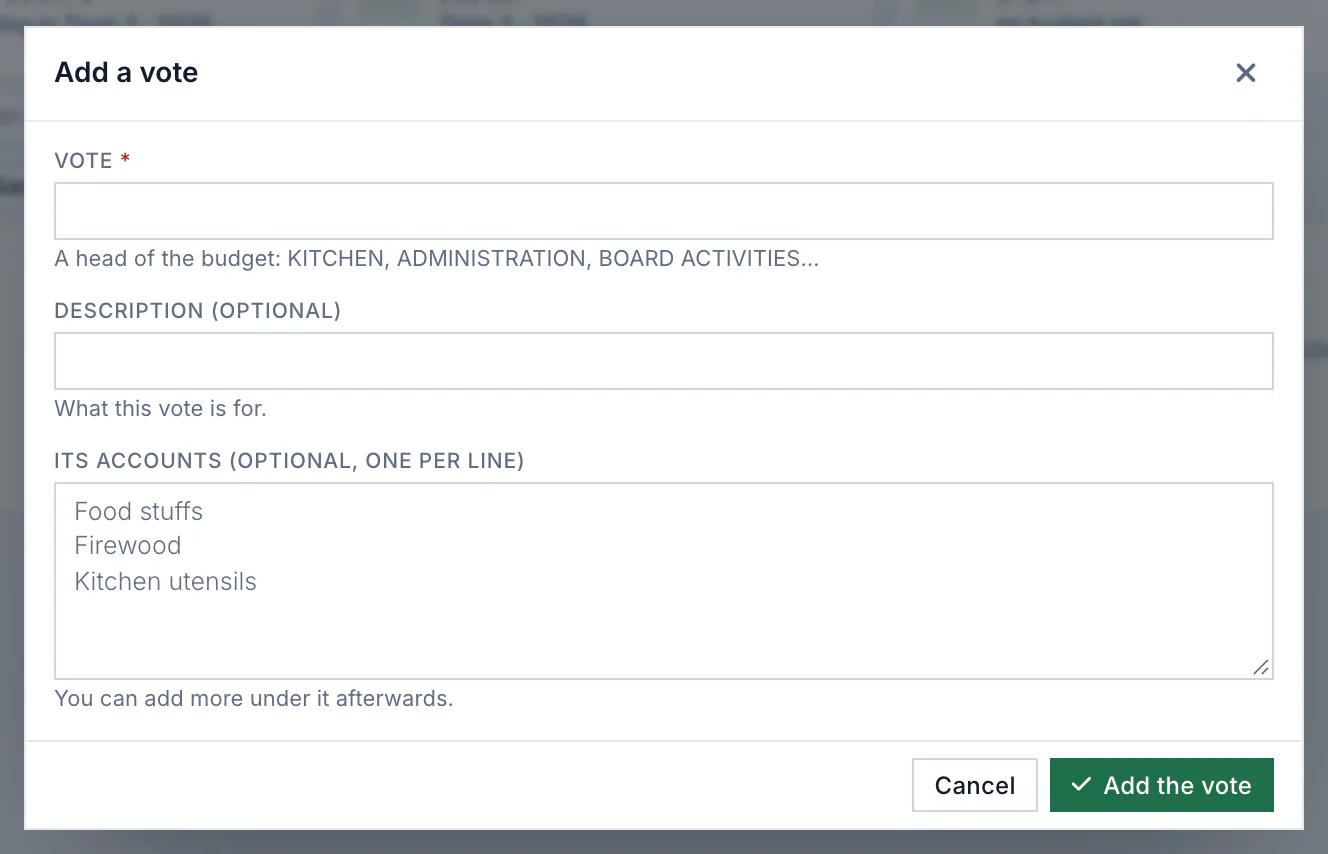
- The vote: a main heading of the budget, such as KITCHEN.
- Optional: what the vote is for.
- Optional: its first accounts, one per line.
- Add it; the box for more accounts opens under it.
The vote appears with its accounts, and the box for adding more accounts opens under it. Two votes cannot have the same name.
Add accounts under a vote#
- Press Add accounts on the vote (or Add the first account of … on an empty vote).
- Type a name and press Enter. It is added and the box stays open for the next one.
- To add several at once, paste them one per line (Shift+Enter starts a new line), then press Add.
- Press Done when you have finished.
A name the vote already has is skipped, and the page says which ones were not added.
Change, move and order accounts#
Press the pencil beside an account to change it where it stands:
- its name;
- its vote (Vote: …): the account moves to that vote, with its budget and spending;
- its kind (Expense account, Asset account and so on);
- its Place in the vote: 1 is first. Leave it empty to list it A to Z after the placed ones.
Press Save vote or Save account, or Escape to cancel.
To change a vote's name or description, open the vote's menu and choose Name and description.
Kind and committee number#
Open a vote's menu and choose Kind and committee number….
| What the vote is | Use it for |
|---|---|
| Spending | Ordinary running costs. |
| Capital (fixed assets) | Buildings, furniture, vehicles: spending in the budget, a fixed asset in the books. |
| Advances and loans | Salary advances and loans to staff: money owed back to the school, not spending. |
| Paying creditors | Paying for things bought on credit in earlier terms. |
The Committee number is the vote's place in the committee's order (Vote 1, Appendix I …), from 1 to 999. The committee pack and the reports list votes by it. Two votes cannot share a number, and only one vote can be Paying creditors.
Merge and delete#
Two accounts or votes that are the same thing (two spellings) should be merged, not deleted.
- Merge into another vote… (vote menu): every account and item of the vote moves to the vote you choose, then the vote goes.
- Delete vote… (vote menu): its accounts and items move to Unclassified.
- Merge into another account… (account menu): every budget and spending item of the account, in every term, moves to the account you choose, then the account goes.
- Delete… (account menu): its items move to Unclassified.
The dialog says how many accounts and items will move before you confirm.
Other account tools#
The account menu also has:
- Its items: the account's own page, term by term.
- Recalculate balance: works the account's balance out again from its ledger lines.
- Mark verified / Mark not verified: a tick beside the name, for accounts you have checked.
- Move lines here by keyword…: moves ledger lines whose description holds a word (more than 2 characters) into this account. The dialog counts them and shows some first; press Move the lines to move them. Lines on a bank, cash or student account stay where they are.
Export downloads the tree with this term's figures as Excel or CSV. Account balances and CSV opens the chart of accounts under Payments › Bank accounts & votes.
Good to know#
- New votes and accounts are ready at once in the Record expenditure and Add budget item dialogs.
- The Books of account keep a matching account for each vote; renaming the vote here renames it there.