
A child's report card reaches the parent once the school has released it. The parent opens it on the parents' page, in the app, or from the link in the school's Report card ready message.
Open a report card#
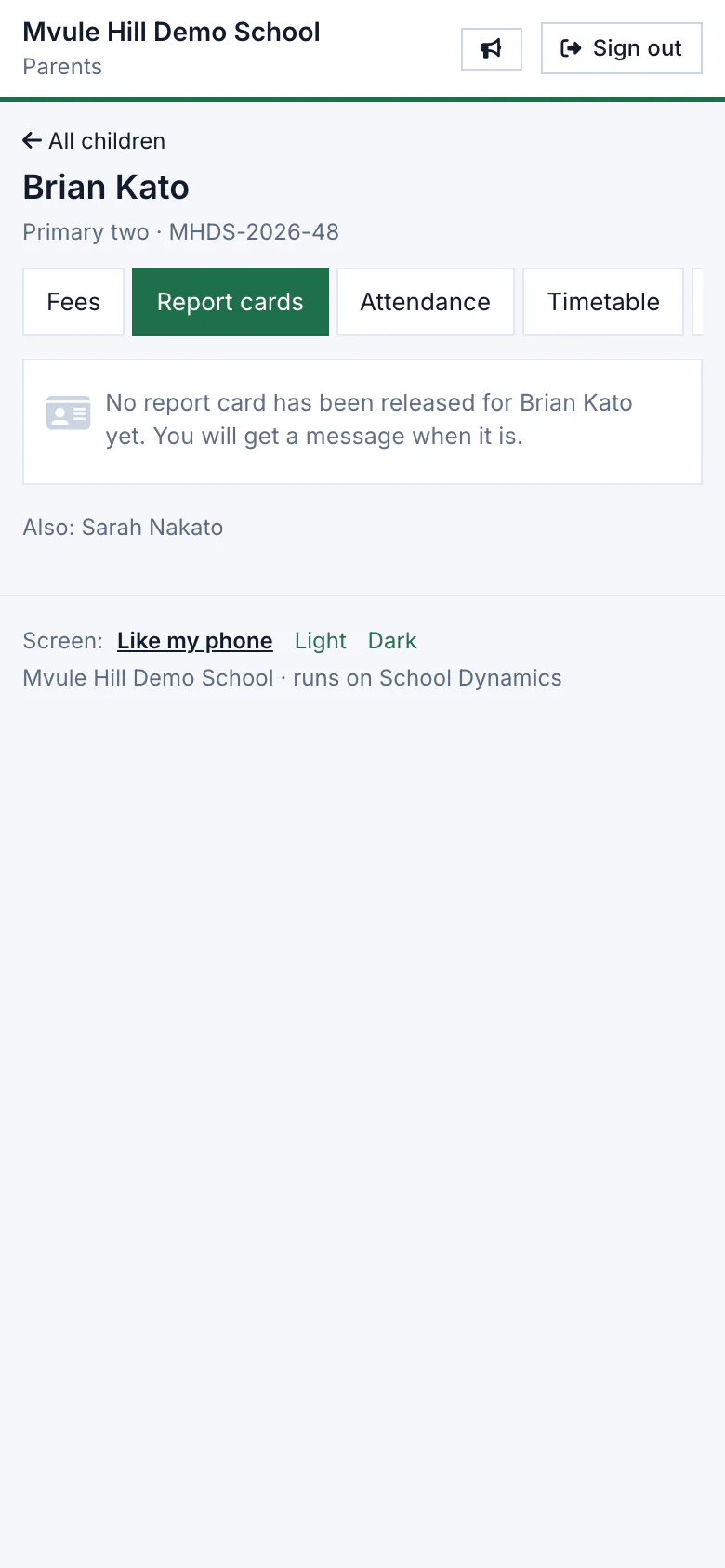
- The child's report cards.
- Each released card: open it, or see why it is withheld.
- On the parents' page, open the child.
- Open Report cards 1.
- Each card the school has released is listed with its title, the term and the class 2. Press Open the report card. The card opens as a PDF, the same one the school prints.
If no card is listed, the page says No report card has been released for (the child) yet.
When a card is withheld for fees#
A released card stays closed while the child owes school fees. Instead of the button, the card says:
Report card is locked. Outstanding school fees of UGX … must be cleared before the report card for this student can be viewed. Please contact the school bursar.
How to pay jumps to the Pay school fees box below (see Pay school fees online). As soon as the fees are cleared, the same card opens. Nothing more needs to be done.
From the school's message#
When the school releases a class, it may send the Report card ready message with a private link to the child's card. The link opens a page that names the child, the term and the class:
- Open the report card shows it; Save it on this phone downloads it.
- Withheld for school fees: the same fees message as above. Once the fees are cleared, this same link opens the card.
- This report card is being corrected: the school took it back to correct something. A new message comes when it is ready again.
- This link has expired: links work for a set number of days, which the page says. Open the card on the parents' page or in the app instead.
The link is for that parent alone. Do not forward it.
Check that a printed card is genuine#
Every report card printed by School Dynamics carries a square code (a QR code), with its code printed under it. Scan it with a phone's camera. The page that opens says:
- This report card is genuine, with the school, the student's initials, the class, the term and the day it was issued. It never shows the marks or the full name;
- This card was issued, then corrected: ask the school for the corrected card, whose code is different;
- We cannot find this report card: check the code was typed exactly as printed, or ask the school that issued it.
For staff#
- Parents see a class's report cards only after it is released (see Checking, approving and releasing). What a parent sees, card by card, is in What parents see.
- The fees gate: any amount owed withholds the card from the parent. Staff always see every card.
- The Report card ready message goes from the release page, or from Settings › Message settings, tab Templates, with Send now.
- Each time a parent opens a card on the parents' page, the school's activity log notes it.