
Staff attendance records whether staff came to school: each member of staff clocks in when they arrive and out when they leave. Leaders see the whole month for everyone, and the office puts right a day someone forgot.
Open Administration › Staff & payroll › Staff attendance. Every member of staff can open it.
Clock in and out#
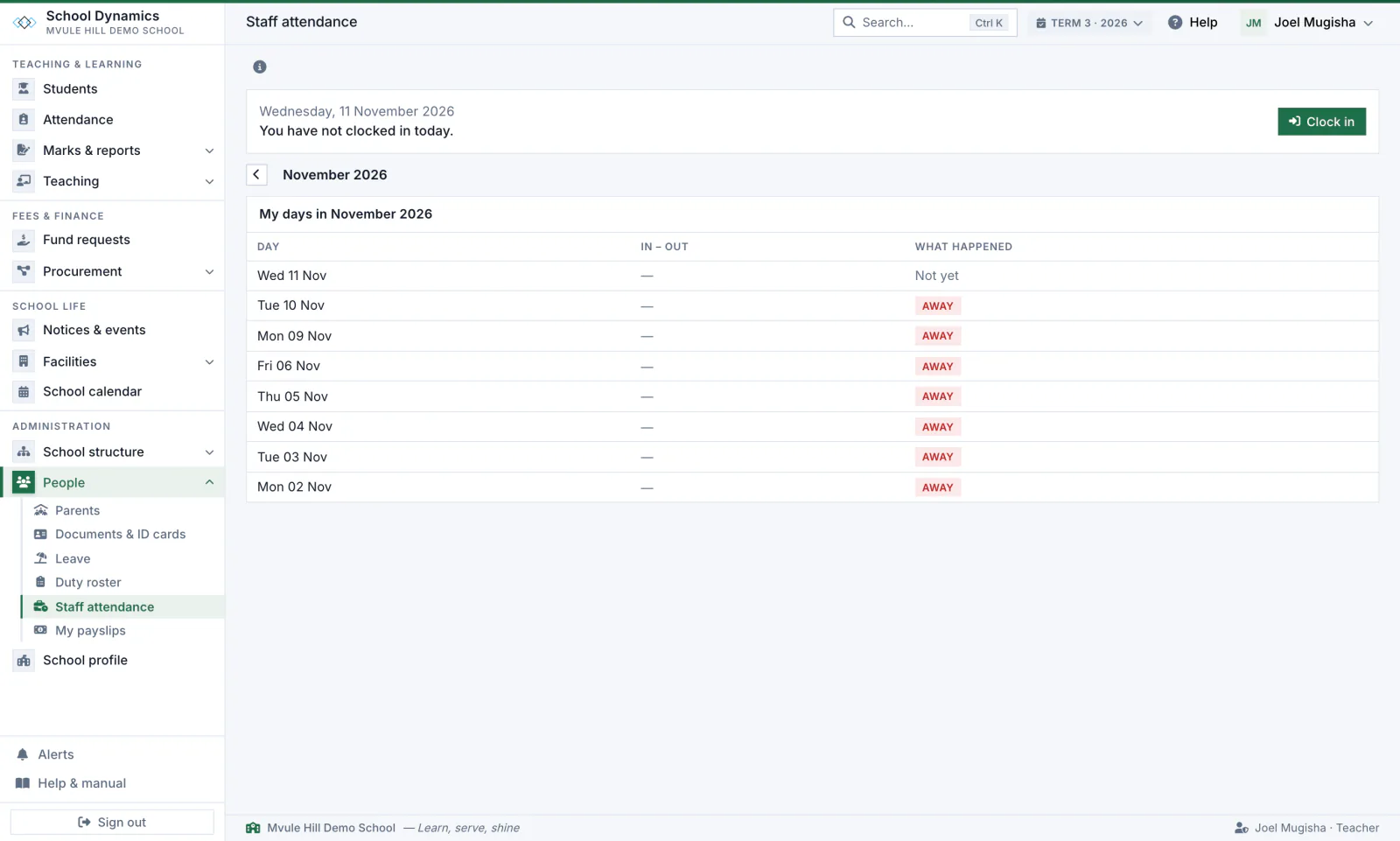
- Today: whether you have clocked in, and when.
- Clock in when you arrive. The same place then says Clock out.
- Look back at earlier months.
- Your month, day by day: in, late, on leave or away.
- When you arrive, open Staff attendance and press Clock in 2.
- When you leave, open it again and press Clock out.
The top card 1 says whether you have clocked in today, and at what times. You clock in once a day.
Below, My days in … 4 shows your month day by day: the times in and out, and In, Late, On leave or Away. Use the arrows 3 to look at earlier months.
The month for everyone#
The head teacher, the deputy, the director of studies, the bursar and the school administrator also see the month for all staff:
- the Working days so far, the share Present (of the days expected, leave left out), the Late arrivals and the Days away;
- a row for each person: days present out of working days, late, on leave and away. For those who may read staff monitoring, a Lessons monitored column shows each teacher's lessons done and skipped that month; see Staff monitoring.
Search a name, and click it (or the eye) to see that person's month day by day. Export spreadsheet downloads the month.
For the office: record a day, set the working week#
The secretary, the head teacher, the deputy and the school administrator can put days right.
To record a day someone forgot:
- Press Record a day (or open the person and press Record a day there).
- Choose Who and the Day. The day cannot be in the future.
- Add the Time in and Time out if you know them. A time out needs a time in.
- Write Why the office is recording it, for example Forgot to clock in; signed the book. It is required.
- Press Record the day.
In a person's month, the pencil on a day corrects it, and the bin removes it (the day then counts as away, unless there is leave). Every change the office makes is recorded with its reason.
To set the working week, press Working week, tick Days the school works, set The day starts at, and press Save working week. Leave days are counted on these days too. Uganda's fixed public holidays, Good Friday and Easter Monday are skipped for you. Eid dates change each year, so change a leave request that covers an Eid day.